Skip to Content

Customer Guide

Portal Access Explained

Learn how to quickly set up, key information and start using our online system with our step-by-step onboarding process.

Currently on trial and access is limited to invited customer only.

Getting Started

Create your account and set up your profile so you’re ready to order.

Trade Pricing & Account Visibility

  • Trade pricing and stock availability are only visible to approved customers who are logged in.
  • If you are signed out, you can still browse the catalogue, but prices will not be shown. To view your pricing, please log in or apply for an account.

Apply for an Account

  • From any page on filtra.com.au, select Login, then choose Register for Account or Access. 
  • Enter your company details and, if you would like trade terms, attach your Credit Application. 
  • Once your application is approved, you will receive an email invitation with a secure link to create your password. 

Account Credit Limit

  • Your account may be assigned a credit limit. If that limit is reached, new orders will be paused until outstanding invoices are paid. 
  • If you have overdue invoices, a banner will appear at checkout with a link to My Invoices so you can settle them quickly.
  •  If you need a higher credit limit, please contact your account manager.

Edit Your Profile & Addresses

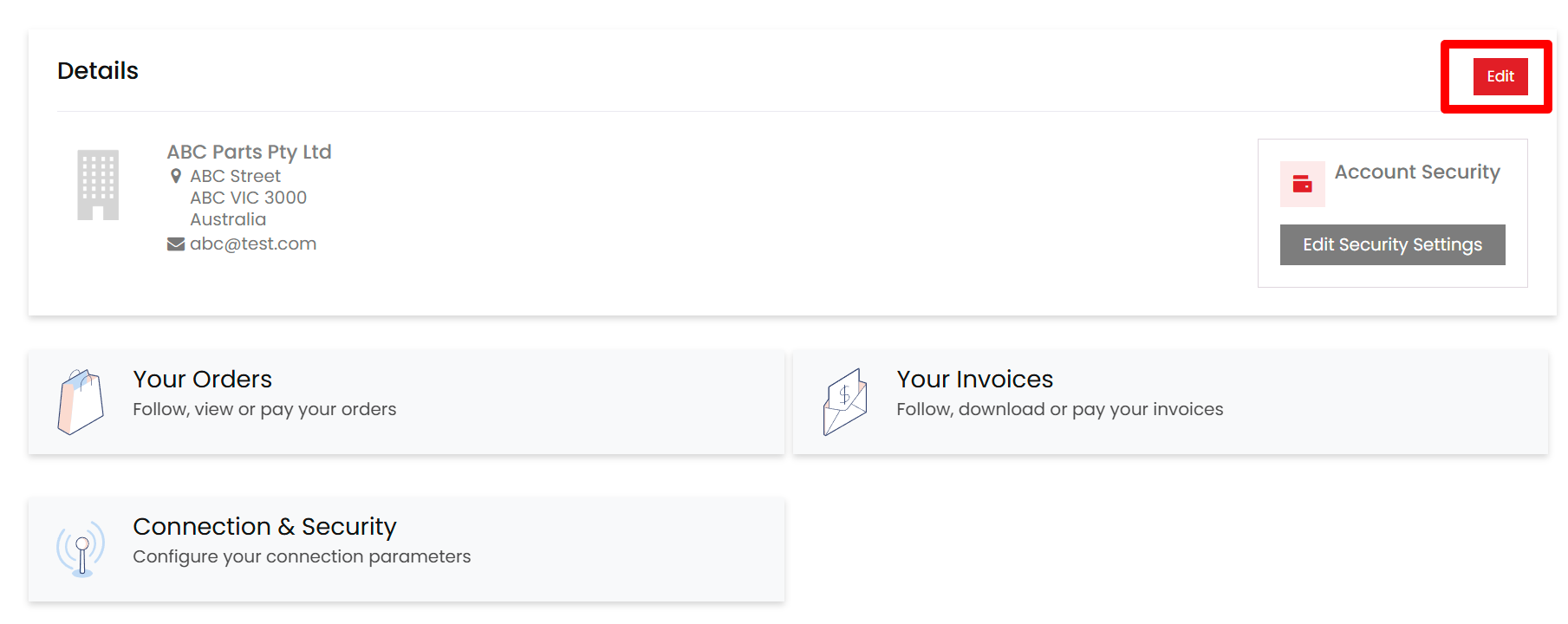
  • After logging in, go to My Account → Details to review or update your company name, ABN (VAT Number), contact person, phone number, and email address. Select Edit Account to make changes. 
  • Company name, VAT Number and country can not be changed once document(s) have been issued for your account. Please contact us directly for that operation.
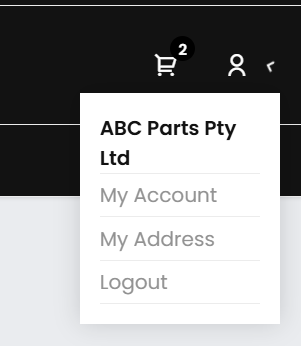
  • To add or update billing and shipping addresses, go to My Account → My Address. You can also set a default billing address and a default shipping address, and also manage of multiple delivery address there.
Ordering

Find parts, save favorites and place orders in just a few clicks.

Search & Save

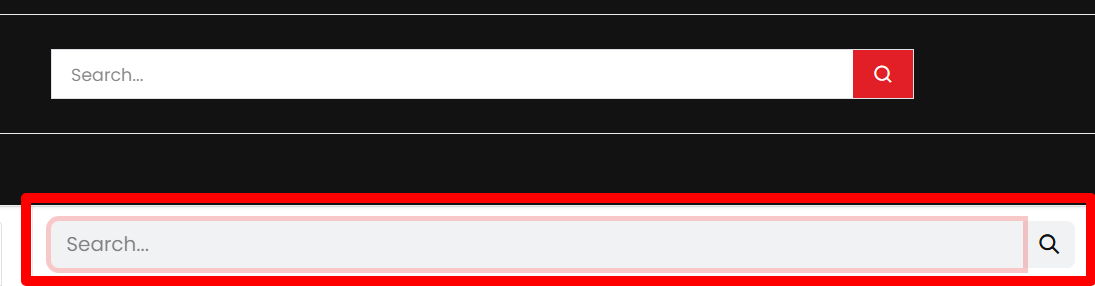
  • Enter any part number into the search bar, including Filtra Autoparts, Ryco, Wesfil, OEM, or other interchange numbers. You can then refine the results using the filters in the left-hand panel. 
  •  Select the heart icon on any product to save it to your Wishlist under My Account → Wishlist, so you can return to it later.


Search by Vehicle

Use the Vehicle Selector — Type → Make → Model → Year — to narrow the catalogue to parts that match specific vehicle.

Quick Order

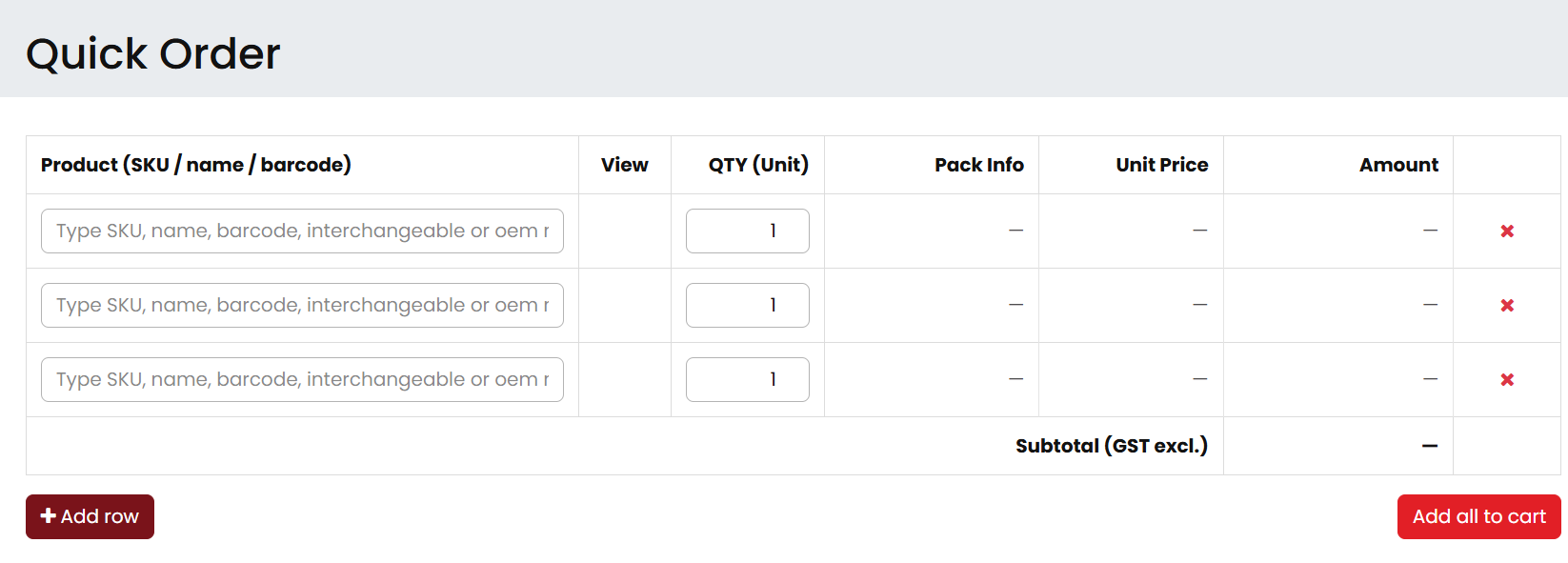
If you already know the part numbers you need, open Quick Order from the top menu.


Type or paste any mix of Filtra, Ryco, Wesfil, OEM, or interchange numbers, enter quantities, and add them all to your cart at once. Pack-size and trade pricing are shown live as you type.

Wishlist Actions

Go to My Account → Wishlist to manage saved items. From there, you can Add All to Cart, Add Selected, or remove multiple items in bulk.

Reordering

  • To reorder a previous purchase, go to My Account → Orders and select Reorder next to the relevant order. The same items and quantities will be added back into your cart instantly. 
  • If you prefer not to use the portal, you can still place orders by email or phone through your account manager.


Checkout & Quotes

  • Review Cart: ensure quantities and part numbers before continuing.
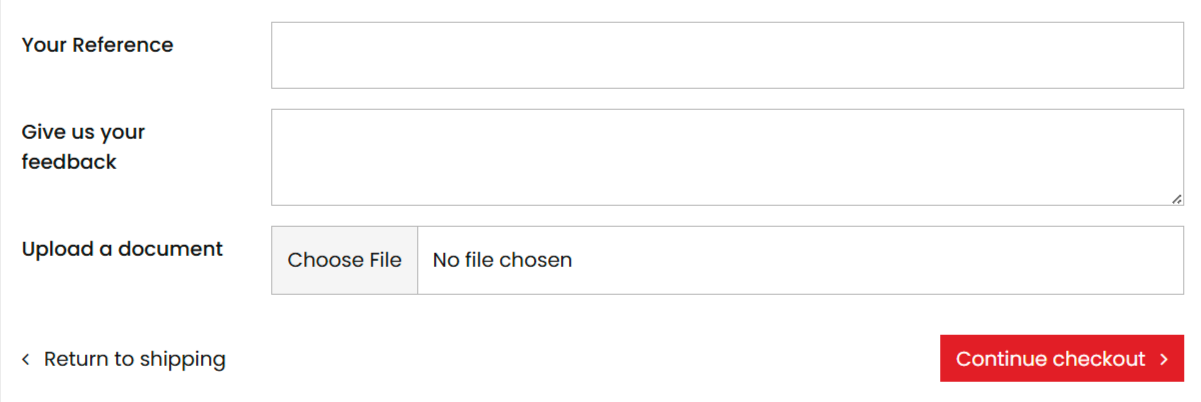
  • Purchase Order / Notes: enter your PO number (Your Reference) or any special instructions (Give us your feedback) or upload your Purchase Order (e.g. for us to cross reference).

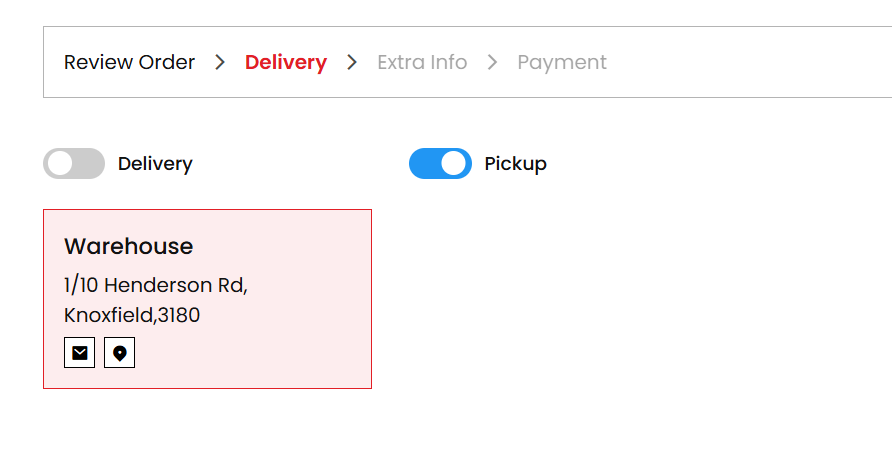
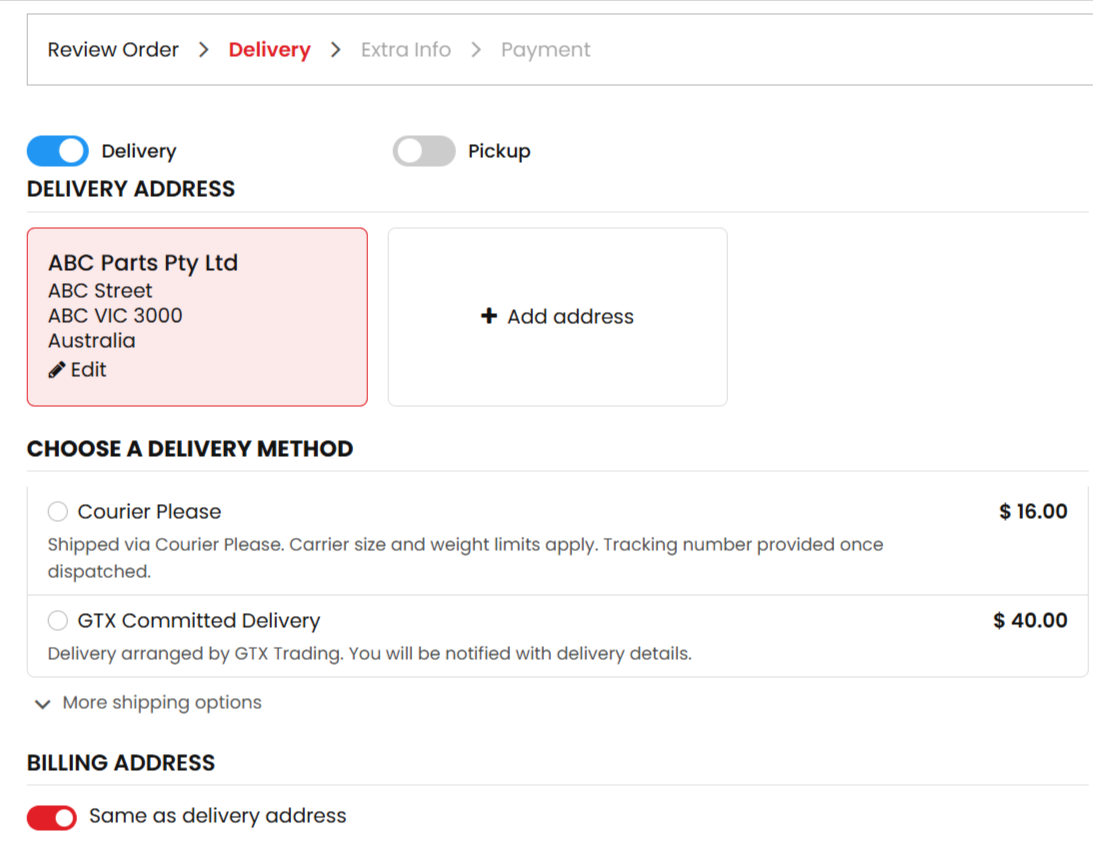
  • Delivery or Pickup: At the top of checkout, switch between Delivery and Pickup. Select Pickup if you would like to collect from our Knoxfield warehouse, then choose the relevant store from the list.

  • Shipping Method: Choose the freight option that best suits your order. For smaller parcels, Australia Post Standard and Express are available. For interstate or international destinations not listed, select For Quote or Pickup and we will help arrange the rest.

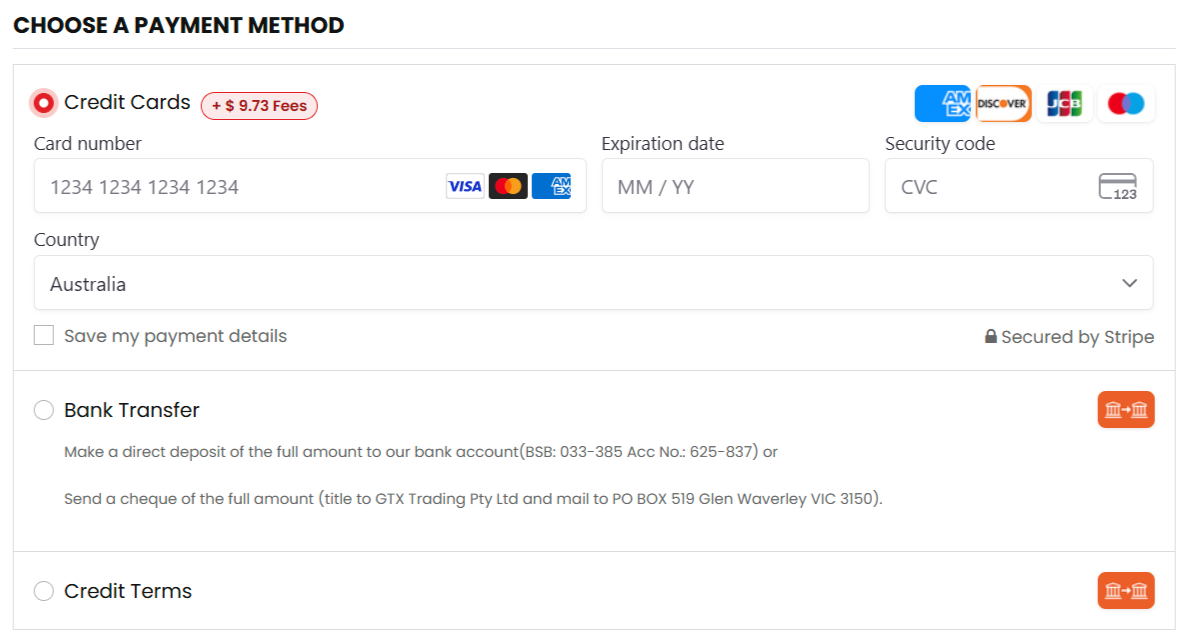
  • Payment Method: Complete Bank Transfer with provided information or choose Credit Card where applicable. Orders paid by bank transfer are held until funds have cleared. Orders placed on approved credit terms are accepted immediately under your agreed terms.


  • Place Order: Select Pay Now to submit your order. You will see an on-screen confirmation and receive a confirmation email shortly after.
  • For larger or more complex orders, a formal quotation may be required first. Once approved, the quote will be converted into a confirmed sales order and invoice in your portal.

Fulfilment & Support

Delivery, manage payments and get help when you need it.

Shipping & Delivery

  • Cut‑off time: Orders placed before 9:00 am AEST are processed the same day. Orders placed later are generally processed on the next business day.
  • Large/Complex Orders:  Some orders require extra handling time. If so, we will contact you with the expected timeline.
  • Transit Times:  Delivery times vary by carrier. Please refer to the carrier’s website for published timeframes. Tracking numbers will appear in your order as soon as they are available.
  • Click & Collect:  Pickup is available Monday to Friday, 9:00 am to 4:00 pm. Please wait until you receive your ready-for-collection email before coming to collect your order.
  • Other Shipping Options: If your preferred carrier is not listed in the portal, select For Quote at checkout and we will follow up with options. You can also choose Pickup if you would like to arrange your own freight.

Invoices, Payments & Returns

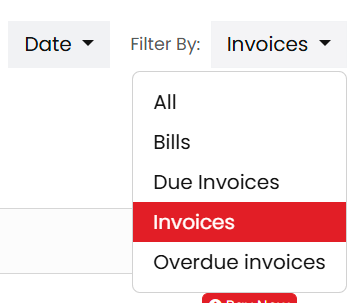
  • View:  You can view all invoices, including overdue invoices, under My Account → Invoices.

  • Pay: ​To pay multiple invoices together, use Pay Total Dues. Select the invoices you want to pay, then complete payment by credit card or transfer the total amount by bank transfer.

  • Bank transfer: If you choose Bank Transfer at checkout or from the invoice page, PayID, BSB, account number and unique payment reference will be displayed automatically. Please use the reference shown so we can match the payment to your account. No further action is needed once payment has been sent.
  • Credit Card Surcharge:  Domestic cards incur a fee of 30c+1.8%, and international cards incur 30c+3.93%. This fee is shown on the payment page before confirmation and again on the invoice. If several invoices are paid together, the surcharge may appear once on the latest invoice instead of on each individual invoice.

Please note: The RBA has announced a ban on card surcharges starting 1 October 2026. We are currently reviewing our pricing structures to ensure a smooth transition away from these fees before that date.

  • Processing Time: Bank transfers can take 1–2 Business Days to clear and reconcile if paid by BSB and account number.
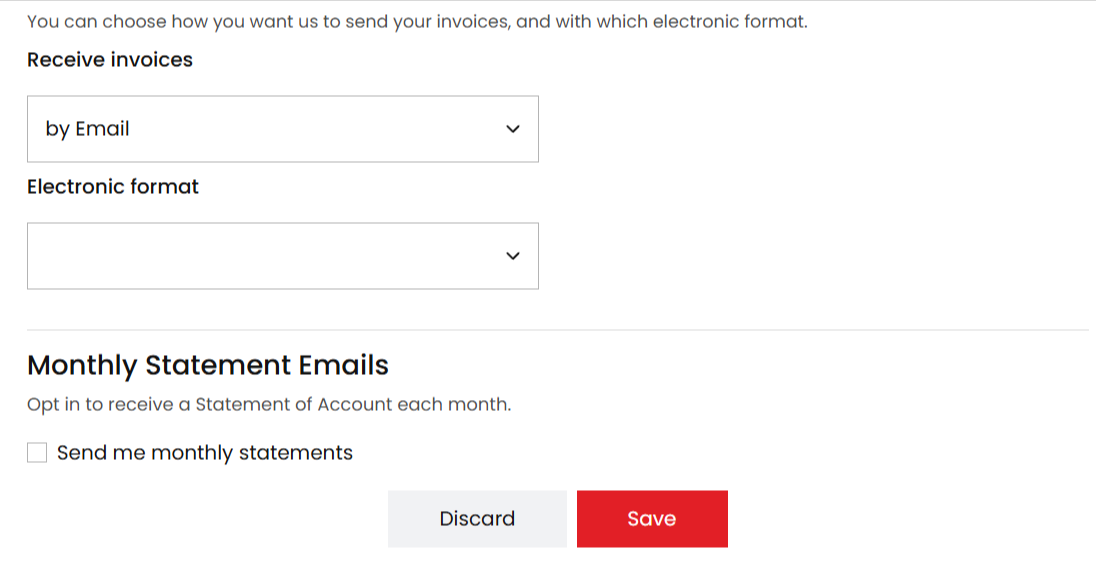
  • Monthly Statements:  Statements are issued on the 1st of each month and include outstanding and in-processing invoices. You can opt-in or out by yourself.

  • Late Payment: Interest or late-payment fees may apply in accordance with our Terms of Sale.
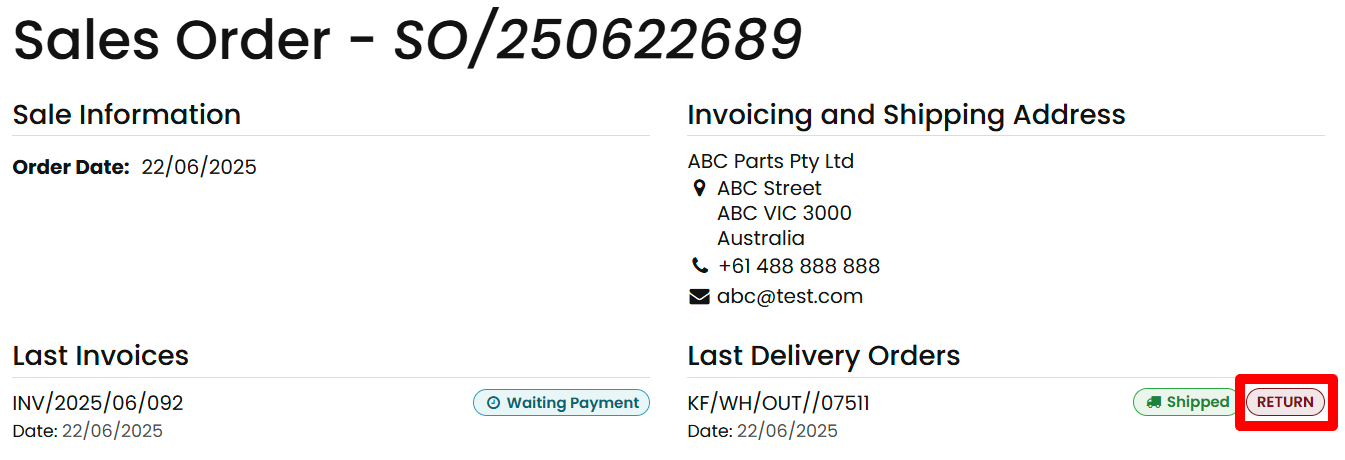
  • Returns: Returns are accepted within 180 days of the invoice date, provided the goods are in resalable condition. Please contact us first and include the printed return document with the goods so we can process the return promptly.

Need Help?

Use of Our Brand Assets

Brand Assets at Your Fingertips.

Access and Download

  • Our logos, trade marks, product images, and other approved brand materials are available on our website for use by approved customers and resellers.
  • You may access and download approved brand assets directly from the relevant pages of our website, such as the site header, product pages or catalogue.
  • Unless we state otherwise, brand assets must be used in the form provided on our website.

Permitted Uses

  • Subject to our Terms of Sale and any written directions we provide, GTX Trading Pty Ltd grants you a limited, non-exclusive, non-transferable, revocable license to use our brand assets solely for:
    1. Marketing and promoting Filtra Autoparts products to your customers, in print or digital form. 
    2. Demonstrating product features in presentations, websites, catalogues, or other sales materials. 
    3. Reselling Filtra Autoparts products through your own approved sales channels. 

Usage Requirements

When using our brand assets, you must:

  • Use them only in connection with genuine Filtra Autoparts products.
  • Use them in their original form as provided on our website.
  • Keep all branding, trade marks, copyright notices, and other proprietary notices intact.
  • Comply with any brand guidelines or usage directions we issue from time to time.
  • Stop using the assets immediately if we ask you to do so.

Restrictions

You must not:

  • Alter, crop, stretch, re-colour, animate, overlay or otherwise modify any brand asset.
  • Use our brand assets for any purpose unrelated to the marketing, demonstration or resale of Filtra Autoparts products.
  • Use our brand assets to promote, endorse or advertise third-party products or services.
  • Use our brand assets in any way that is misleading, deceptive, defamatory, unlawful or likely to damage our brand or reputation.
  • Suggest any partnership, sponsorship, endorsement, agency or affiliation beyond your actual relationship with us.
  • Create derivative works from our brand assets.
  • Register, claim, or attempt to acquire any rights in our trade marks, logos, images or any confusingly similar branding.

Ownership and Rights

All intellectual property rights in our brand assets remain the exclusive property of GTX Trading Pty Ltd.

Your use of our brand assets does not give you any ownership rights or any right to use them beyond the limited license described above.

We may withdraw, restrict, or revoke permission to use our brand assets at any time.